
Sign in and accounts
One account, two ways to sign in, and no password to remember.
One St. Stephen Go account works for everything: ordering as a customer, working at a restaurant, and driving. What you can open depends on the roles your account holds.
Sign in
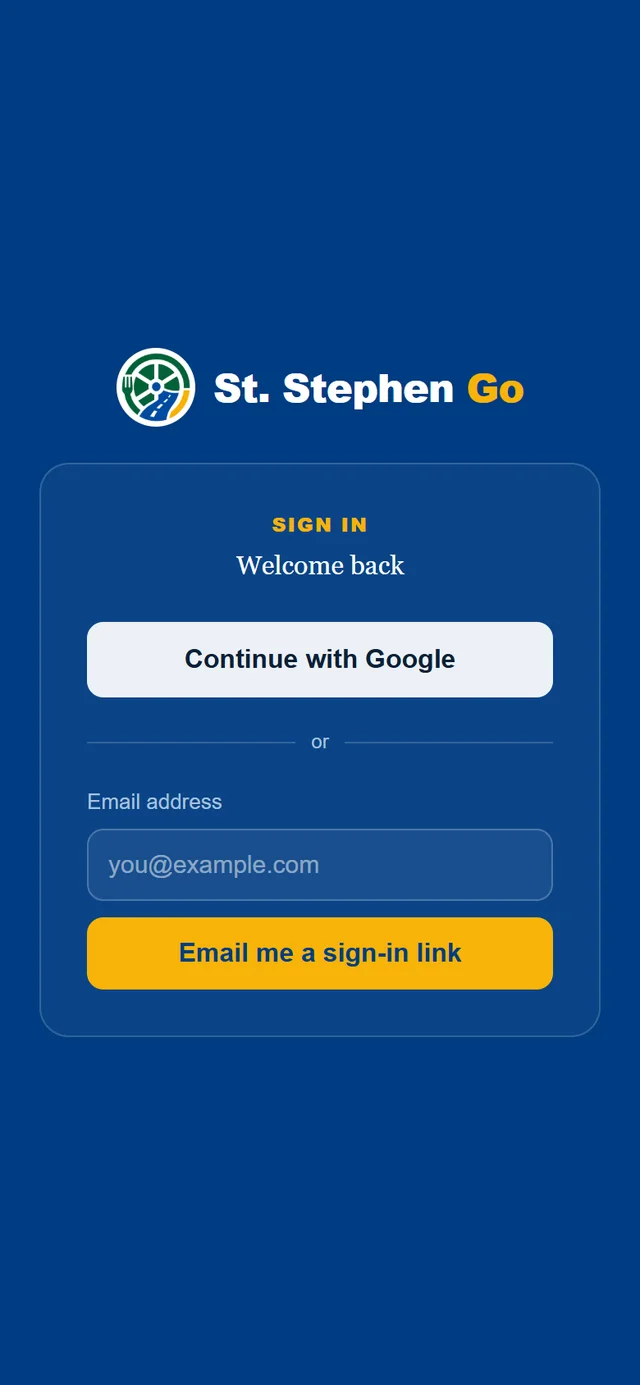
- Go to ssgo.ca and tap Sign in (on the home page it says Customer sign in).
- Choose one of two ways:
- Continue with Google. Pick your Google account. This is the fastest on a phone.
- Email me a sign-in link. Type your email address and tap the button. Open the email from St. Stephen Go and tap the link in it.
Good to know about the email link
- The link works once and expires after 15 minutes.
- If it doesn't arrive within a minute, check your Junk folder.
- If you see "That sign-in link is invalid, expired, or already used", ask for a new one on the same page.
- Open the link on the same phone or computer you want to be signed in on.
What your account can open
| You are | How you get access |
|---|---|
| A customer | Nothing to do. Every account can order. |
| On a restaurant's team | The restaurant's owner invites your email address. See Team & access. |
| A driver | You apply, and St. Stephen Go approves you. See Become a driver. |
If you open a page your account can't use, you see "St. Stephen Go role required" and a line saying why. For a restaurant it reads "This account is not on a restaurant's team yet": ask the owner to invite the exact email address you sign in with.
Signing out, and shared devices
- Sign out is in the menu on every page.
- Each person signs in with their own email address. Never share a login: roles decide what each person can see, including the restaurant's money.
Need help? Call or text Pardeep Bains at (506) 321-7974, or email pardeep@ssgo.ca.
St. Stephen Go is new. No real customer payment has gone through it yet, and card payments run in test mode until Pardeep says otherwise in writing.