
Team & access: roles and invitations
Add a manager or staff, change a role, and remove someone.
Only the owner can add people. Each person signs in with their own email address. Never share a login.
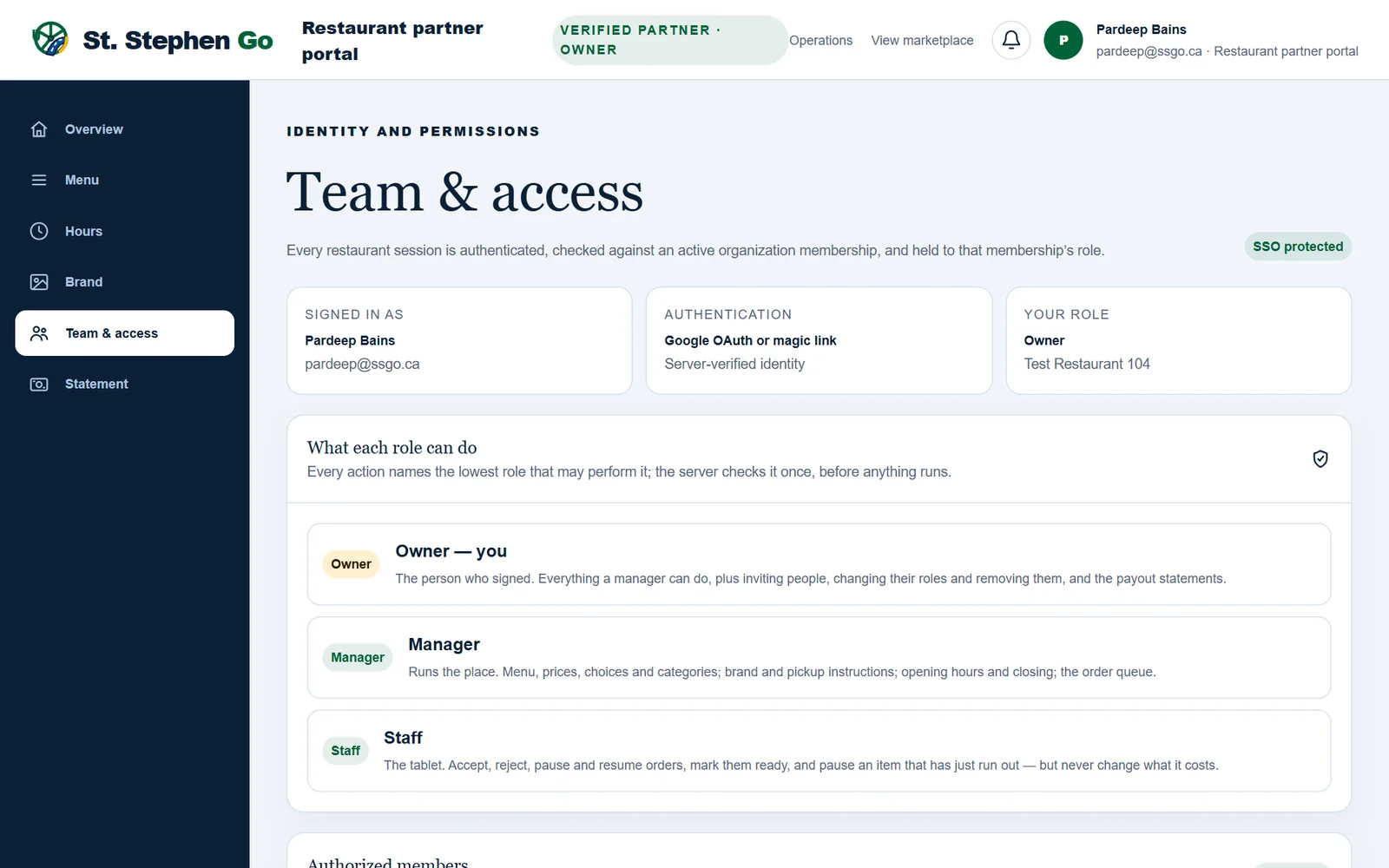
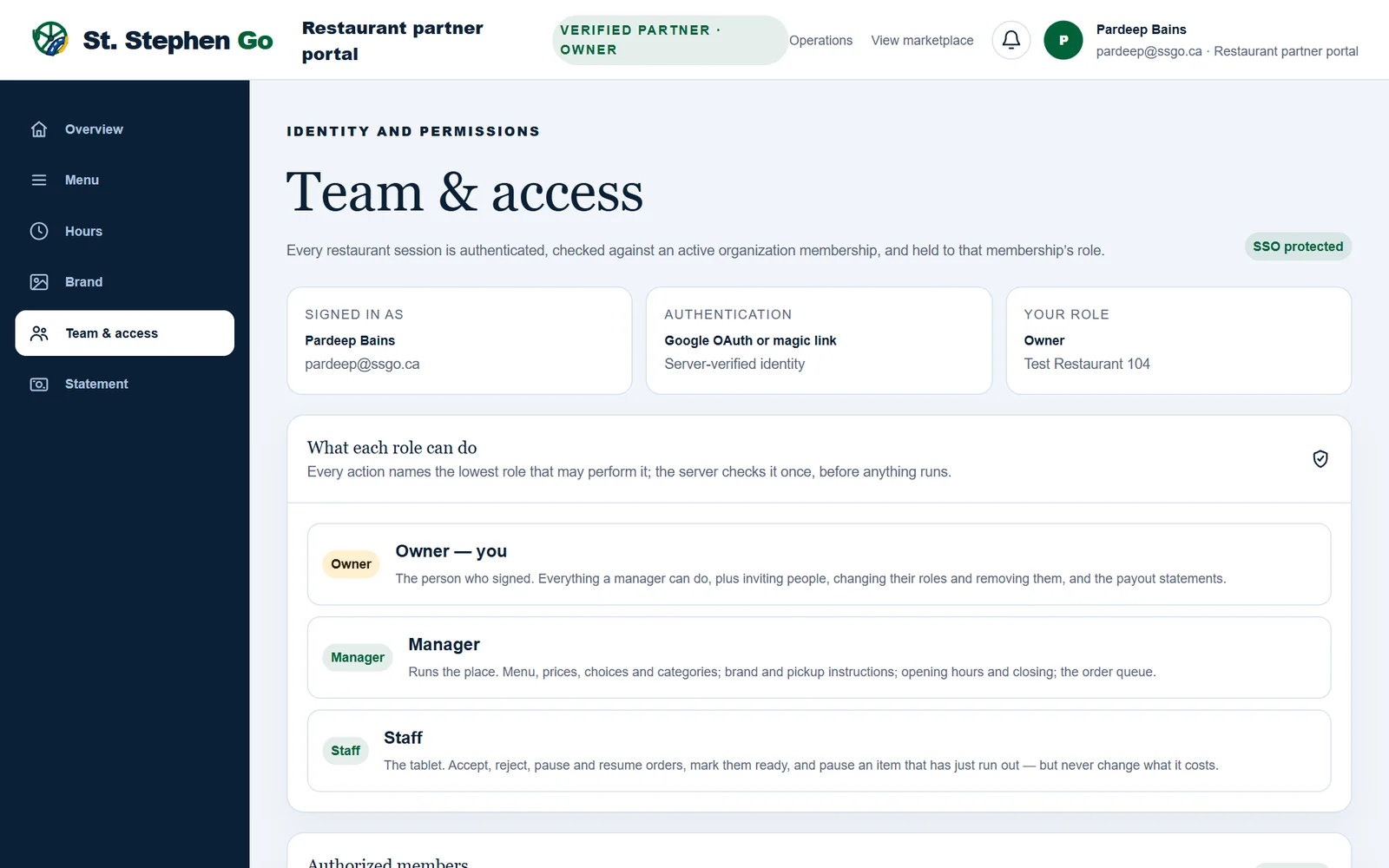
The three roles
| Role | What they can do |
|---|---|
| Owner | Everything a manager can, plus inviting people, changing their roles, removing them, and reading the Statement. |
| Manager | Menu, prices, choices and categories; brand and pickup instructions; opening hours and closing; the order queue. |
| Staff | The tablet: accept, decline, pause and resume orders, mark them ready, and pause a dish that has run out. Never prices. |
A restaurant always keeps at least one owner.
Invite someone
- The owner opens Team & access.
- Under Invite someone, type the person's email address.
- Choose a role. The list starts on Choose a role and won't send without one.
- Tap Send invitation.
The link is emailed to them and shown once on screen. Copy it and text it to them too, then tap I have it. The link is never shown again.
Accepting an invitation
The invited person, within 7 days:
- Taps the link, then Sign in to continue.
- Chooses Continue with Google, or types the invited email and taps Email me a sign-in link.
- Once the page shows they're signed in as the invited email, taps Accept invitation, then Open your restaurant.
The link works once, for that email address only.
Change a role or remove someone
- Change a role: use the dropdown beside their name. The page asks first ("Make … Manager of …?") and the change applies on their next click.
- Remove someone: tap Remove and confirm. They lose access at once.
- Cancel an invitation that hasn't been used: tap Cancel invitation. Their link stops working.
If it goes wrong
| Problem | What to do |
|---|---|
| No email after a minute | Check Junk. The link on screen is the same one: text it to them. |
| "Sent to a different email address", or signed in as someone else | Nothing is used up. Tap Sign out; it comes straight back to the invitation. Sign in with the invited address. |
| The link is lost or older than 7 days | Cancel the invitation and send a new one. For the owner's own link, call Pardeep. |
| Wrong role given | Change it with the dropdown rather than removing them. |
| Removed someone by mistake | Invite them again. Their old links stay dead. |
Need help? Call or text Pardeep Bains at (506) 321-7974, or email pardeep@ssgo.ca.
St. Stephen Go is new. No real customer payment has gone through it yet, and card payments run in test mode until Pardeep says otherwise in writing.