Handing over pickup and delivery orders
What to tap, and what to check, when the customer or the driver arrives.
Pickup orders
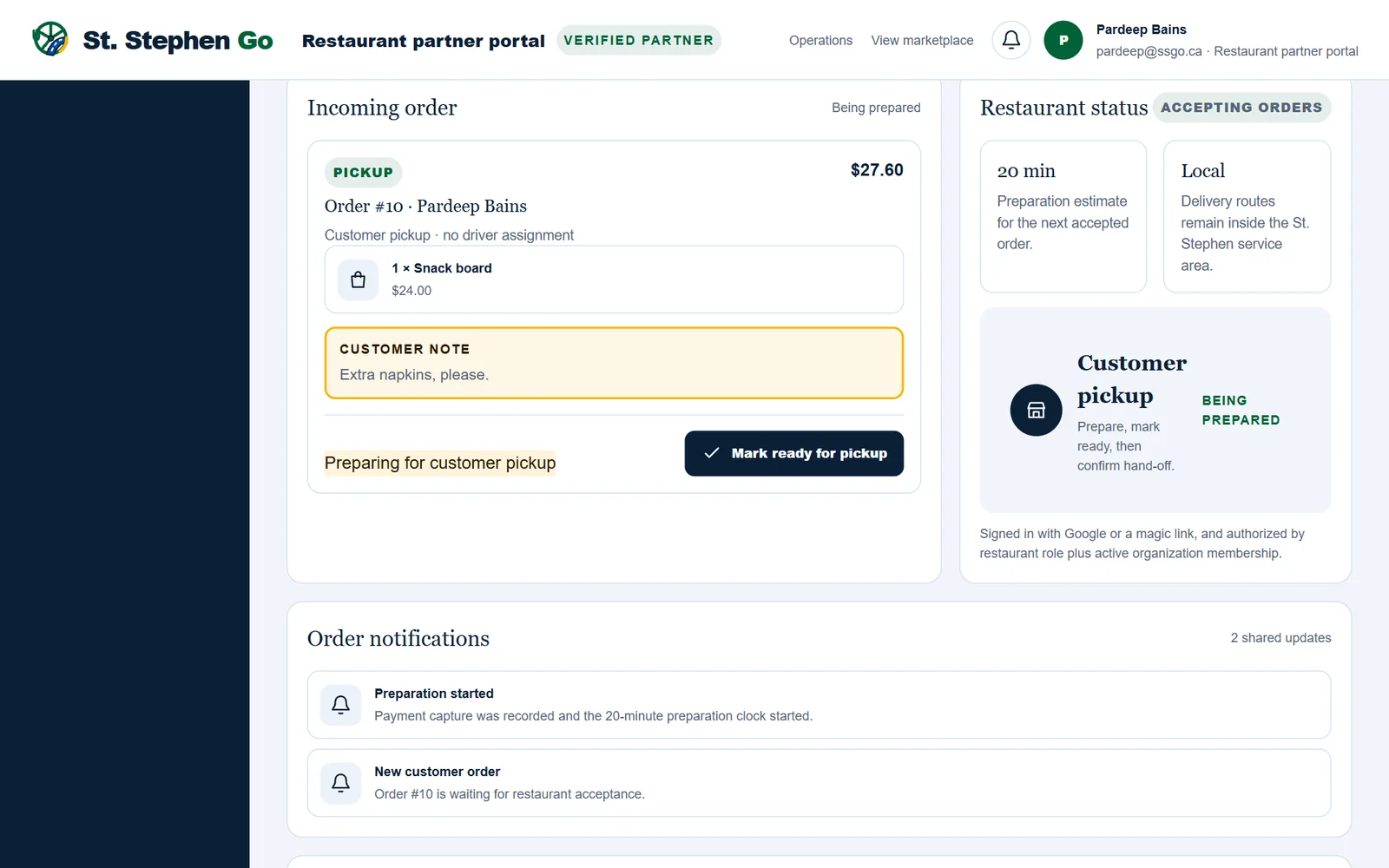
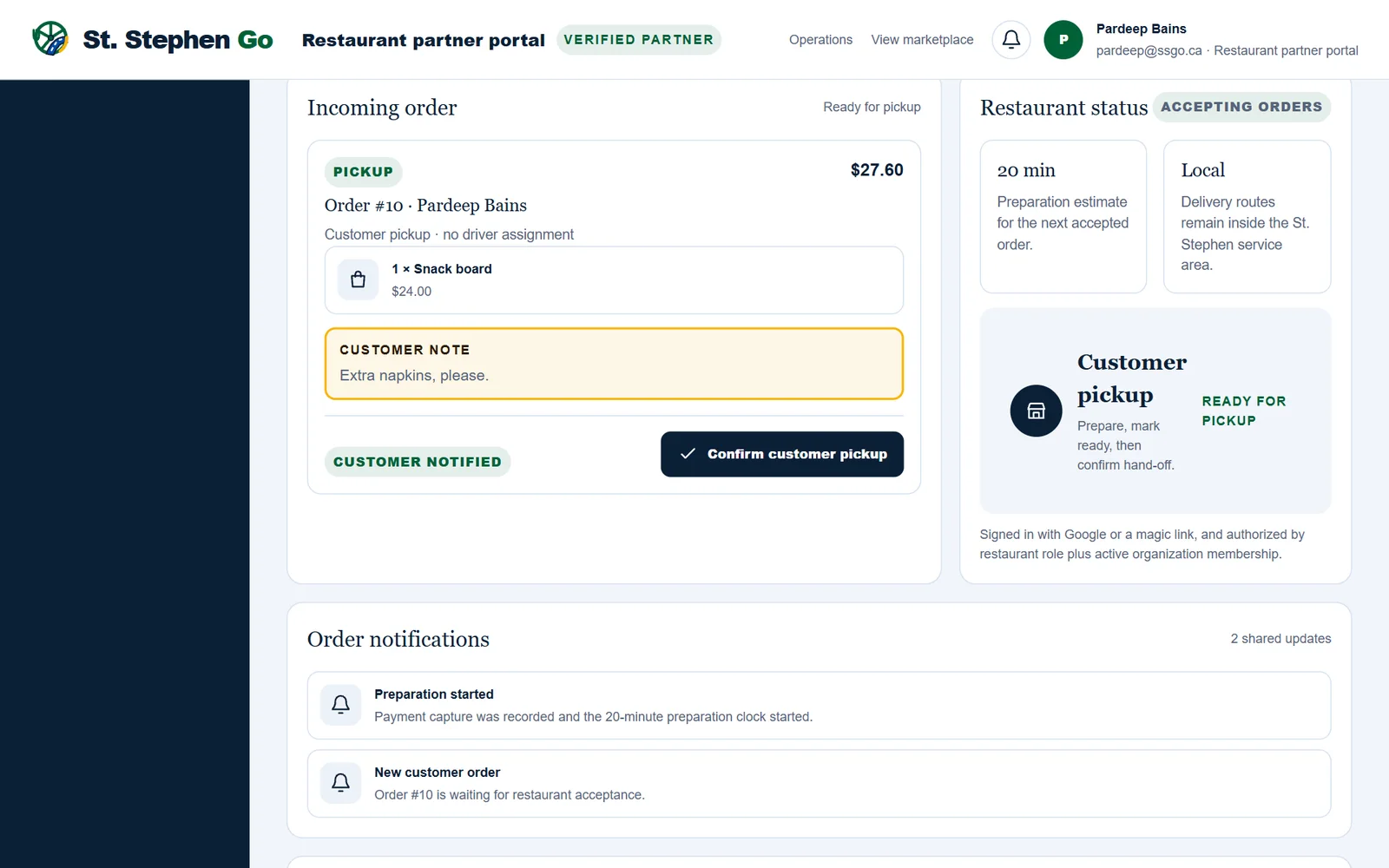
- When the food is done, tap Mark ready for pickup. The customer's order page changes to "Ready for pickup".
- When the customer arrives, ask for their order number and hand the order over.
- Tap Confirm customer pickup. The order is finished.
Delivery orders
- Pack the order to travel.
- Tap Mark ready for driver pickup. This calls a driver.
- When the driver arrives, ask for the order number before you hand it over.
The driver confirms the pickup on their own phone. You have nothing more to tap.
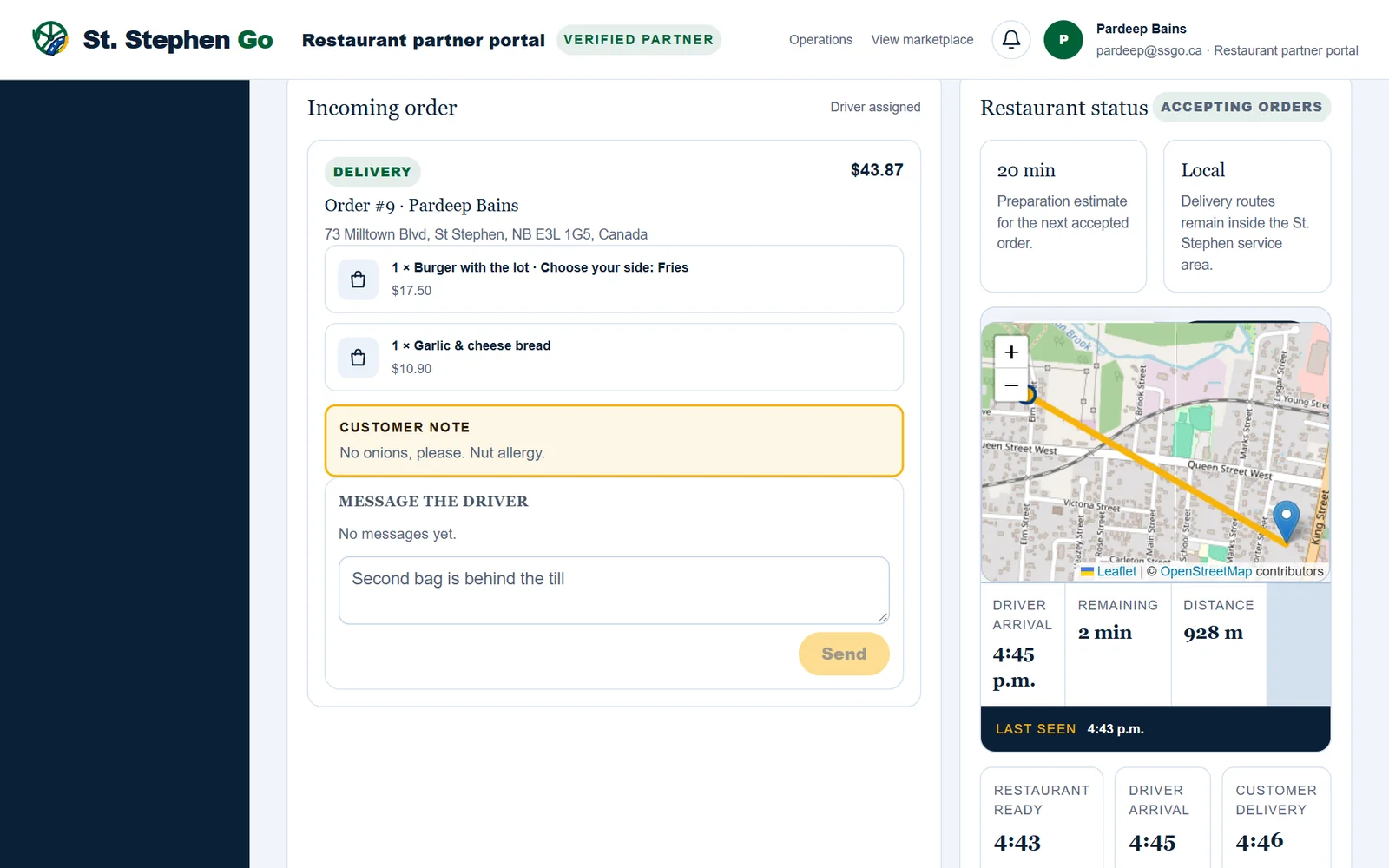
Message the driver
Once a driver takes a delivery, a Message the driver box opens on the order. Use it for notes like "Second bag is behind the till." The conversation closes when the delivery is finished.
You can't message the customer from the tablet. If a customer needs to be reached, call Pardeep.
If no driver comes
If no driver collects a ready order within 45 minutes, St. Stephen Go cancels it and refunds the customer. You are still paid for the food, with no commission.
Need help? Call or text Pardeep Bains at (506) 321-7974, or email pardeep@ssgo.ca.
St. Stephen Go is new. No real customer payment has gone through it yet, and card payments run in test mode until Pardeep says otherwise in writing.