Track your order
Follow your order from the kitchen to your door, and message your driver.
After you place an order, the top of your customer page shows it. The page updates by itself every few seconds; you don't need to refresh.
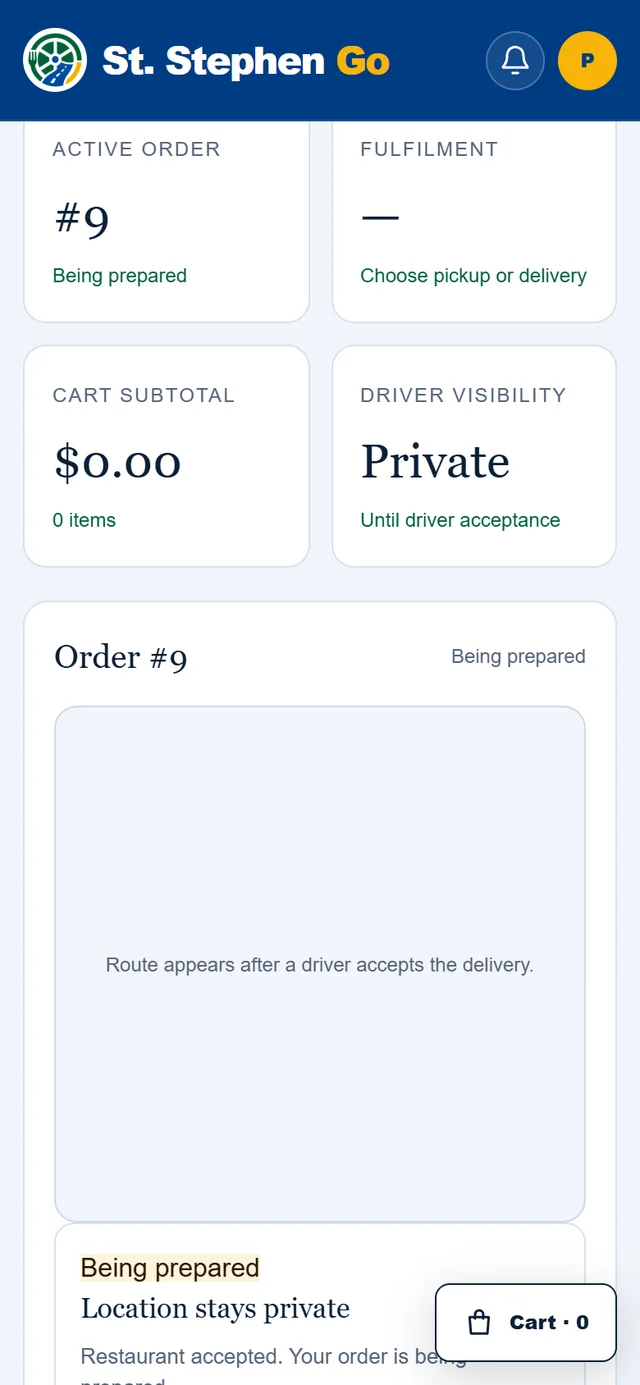
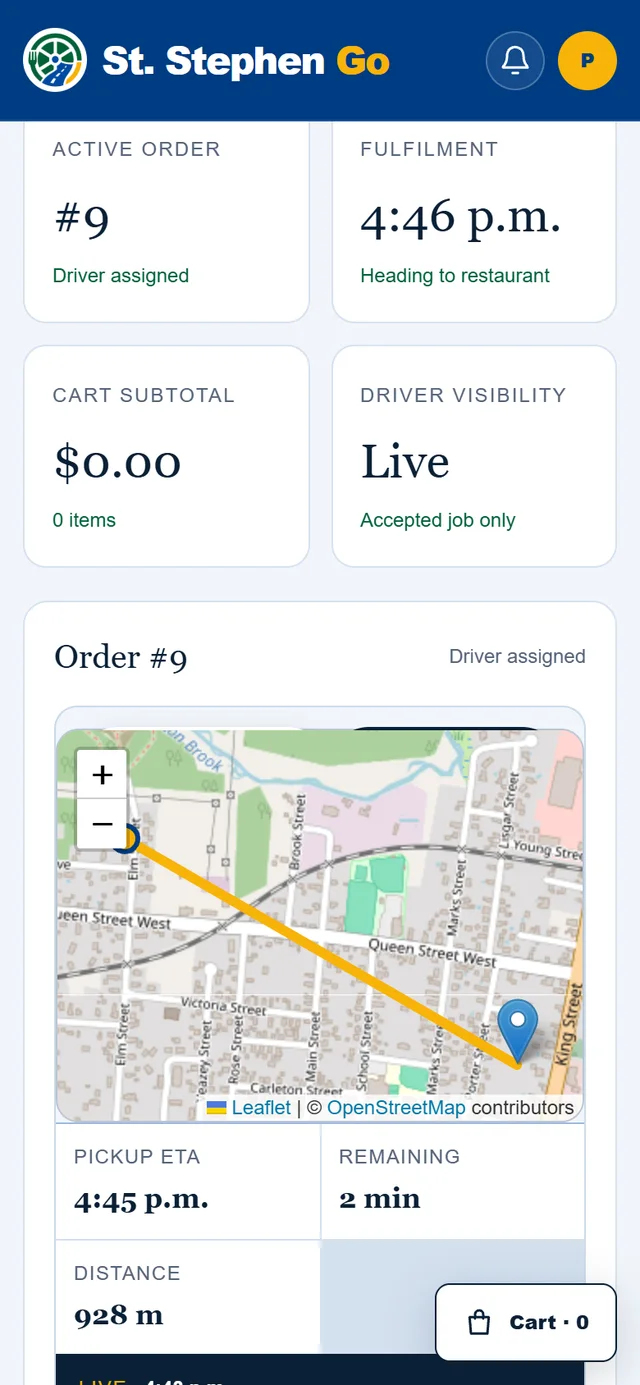
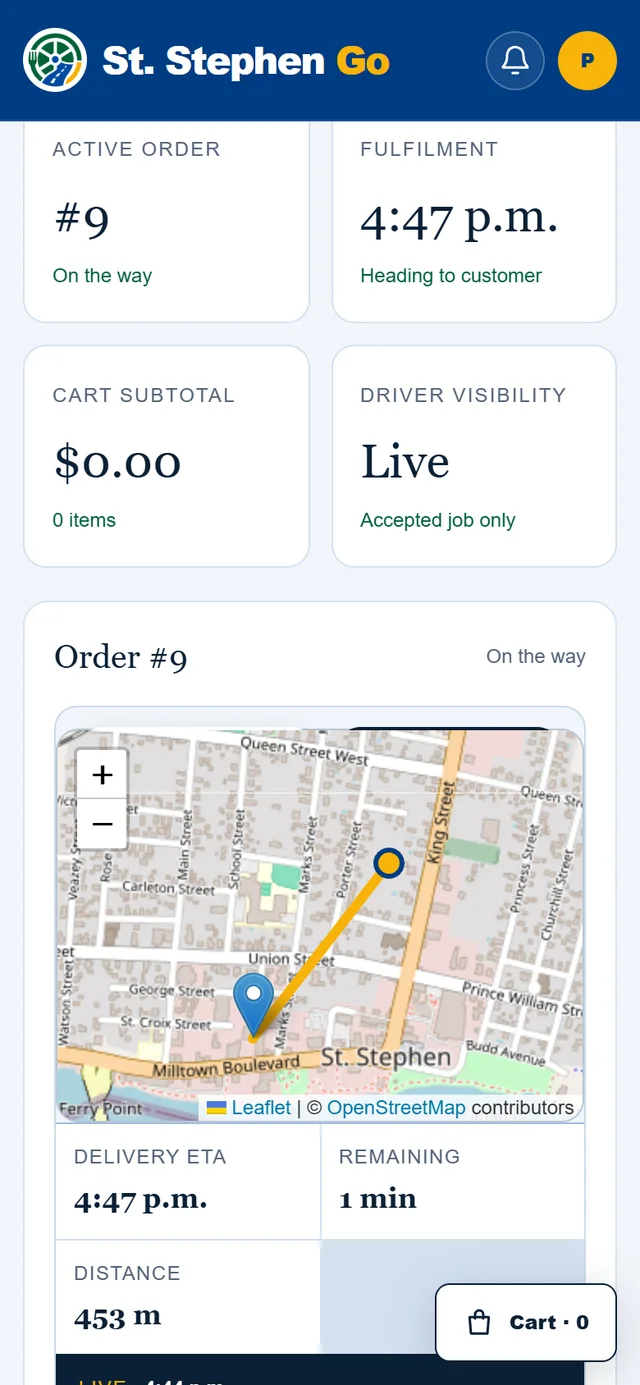
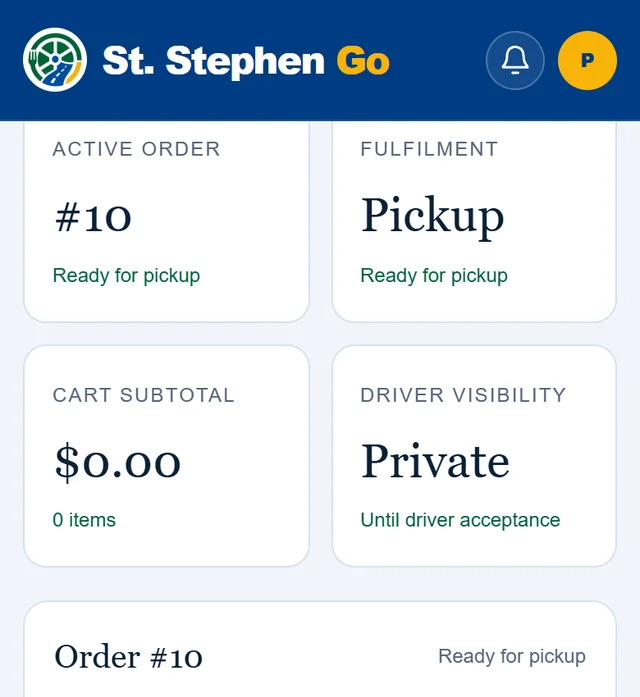
What the tiles tell you
| Tile | What it shows |
|---|---|
| Active order | Your order number and its status. |
| Fulfilment | Pickup, or the time your delivery is expected. |
| Driver visibility | Private until a driver accepts your delivery, then Live. |
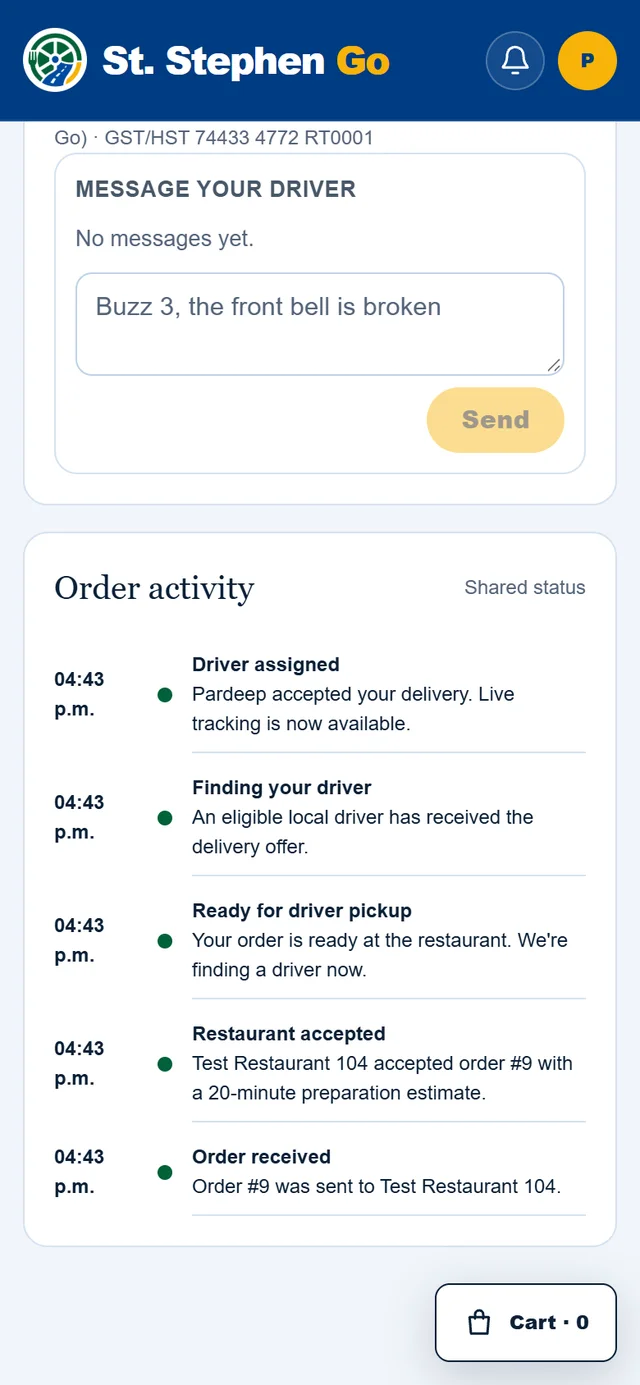
Under the tiles, Order activity lists each step with its time: order received, restaurant accepted, order ready, and so on.
Following a delivery
Once a driver accepts, you see a map and three times:
- Restaurant ready: the kitchen's prep estimate.
- Driver pickup: when the driver should reach the restaurant.
- Your delivery: when the order should reach you. This updates as the route changes.
You see your driver's first name, for example "Alex is on the route". The driver's location is shown only while they are on your delivery.
Delivery times are estimates. Weather, traffic and a busy kitchen all move them.
Message your driver
When a driver has your order, a Message your driver box opens on the order. Use it for things like "Buzz 3, the front bell is broken". The conversation closes when the delivery is complete.
Picking up
When your order page says Ready for pickup, go to the restaurant's address shown on the order and give your order number.
St. Stephen Go does not send a text or an email when your order is ready. Keep the order page open, or check back near the prep time.
When it's done
A delivered order shows Delivered, and a collected pickup shows Completed. Your receipt appears on the order: see Your orders, addresses and receipts.
Need help? Call or text Pardeep Bains at (506) 321-7974, or email pardeep@ssgo.ca.
St. Stephen Go is new. No real customer payment has gone through it yet, and card payments run in test mode until Pardeep says otherwise in writing.