
Your documents
The three documents St. Stephen Go asks every driver for, and how to upload them.
St. Stephen Go asks every driver for three documents:
- Driver's licence
- Vehicle insurance
- Vehicle registration
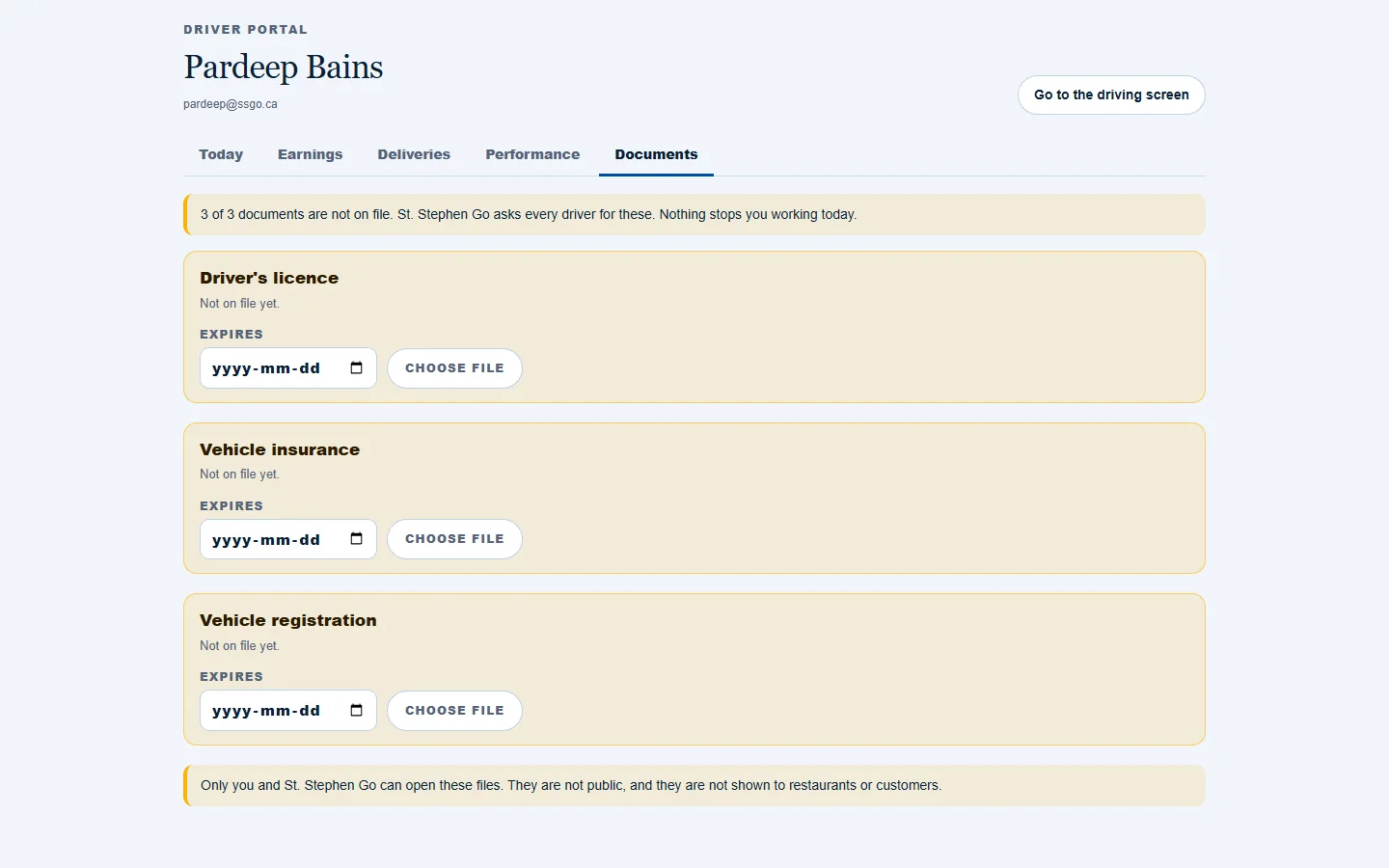
Upload a document
- Open the driver portal and go to Documents.
- For the document you are adding, enter the date it expires first.
- Tap Choose file and pick a clear photo or scan.
To send a newer copy later, tap Replace.
What each status means
| Status | What it means |
|---|---|
| Not on file yet. | Nothing has been uploaded. |
| Uploaded. Waiting for St. Stephen Go to check it. | It has been received and not yet reviewed. |
| On file, good until the date shown. | It has been approved. |
| Expires in a few days | Upload the renewed one before the date shown. |
| Expired | Upload the renewed one. |
| Not accepted. Upload a clearer copy. | It was rejected. The reason is shown with it. |
Who can see them
Only you and St. Stephen Go can open these files. They are not public, and they are not shown to restaurants or customers.
Do they stop me working?
Not today. The page says "Nothing stops you working today", and an incomplete driver can still be offered deliveries. Upload them anyway: they are what St. Stephen Go will ask for first.
Need help? Call or text Pardeep Bains at (506) 321-7974, or email pardeep@ssgo.ca.
St. Stephen Go is new. No real customer payment has gone through it yet, and card payments run in test mode until Pardeep says otherwise in writing.